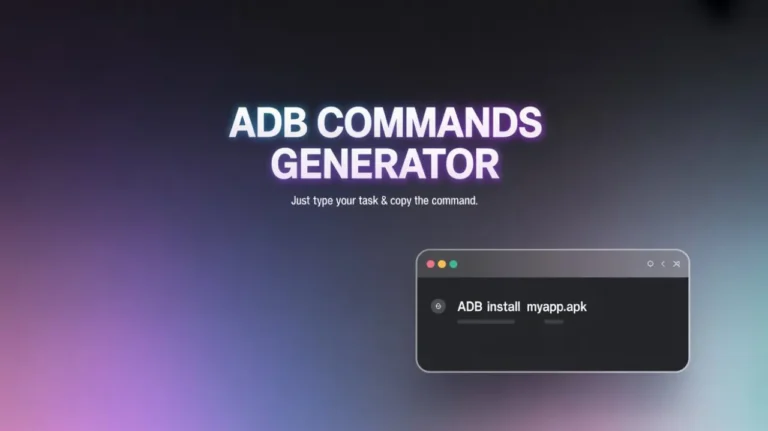
ADB Commands Generator
Generate (ADB) Android Debug Bridge commands with ease. Just describe what you want to do, and get the exact command with step-by-step instructions.
Describe what you want to do (e.g., "install apk", "record screen")
Popular Commands
Click on any example to auto-generate the command
Install APK
Click to generate command
Reboot Device
Click to generate command
Push File
Click to generate command
View Logcat
Click to generate command
Record Screen
Click to generate command
Take Screenshot
Click to generate command
What Is the ADB Commands Generator & How Does It Work?
ADB Commands Generator is a simple search-based tool that converts simple English into ready-to-use ADB commands.
You don't need to memorize syntax. You don't need to understand complicated flags.
Here's how it works.
- Type what you want to do (e.g., "reboot to recovery").
- The tool matches your request with the correct ADB command.
- It shows you the correct command to copy and clear step-by-step instructions for running it safely.
Features & Benefits Of ADB Commands Generator
Smart Command Search
Just describe your task in plain English. No need to remember exact command structures.
Ready-to-Copy Commands
Every result is formatted correctly, so you can copy and paste directly into your terminal.
Country Code Support
Each command includes practical instructions. Helpful if you’re beginner.
Instant Results
Results appear immediately. You can switch between tasks like installing APKs and rebooting devices without any delay.
Beginner-Friendly
If a command isn’t found, the tool suggests alternative keywords instead of leaving you confused.
No App Installation
Everything works directly in your browser. No need to install any app.
How to Use ADB Commands Generator?
Describe What You Want to Do
In the search box, type a simple action such as: install apk, reboot bootloader, record screen, take screenshot.
Click “Generate Command”
The tool will instantly display the exact ADB command, a ready-to-copy command line, and step-by-step instructions.
Copy & Run the Command
Open your command prompt or terminal, connect your device, and paste the generated command. That’s it.
Who Should Use This Tool?
This tool is helpful for:
- Android users who want to install apps manually
- Developers testing APK builds
- Users troubleshooting boot or recovery issues
- Anyone learning ADB for the first time
- Tech enthusiasts who regularly use USB debugging
From my own experience, it’s especially useful when you know what you want to do but can’t remember the exact command format.
What Makes This Tool Different
There are many ADB command lists online, but this tool focuses on:
- Easy English search instead of manual browsing
- Clear instructions with each command
- Quick use without excessive documentation
It's designed for real users who want quick results - not a wall of technical text.
Privacy & Safety
✅ Your searches are not stored.
✅ Does not track personal data
✅ Runs directly in your browser
Helpful FAQs
No. The tool runs directly in your browser. However, you must have ADB installed on your computer to execute the generated commands.
Try using simpler keywords like “install”, “reboot”, “screenshot”, or “uninstall”. Small wording changes usually fix it.
Yes. The tool only generates commands. It does not access your device or run anything automatically.
Absolutely. It’s designed for non-technical users. The step-by-step instructions guide you through the process.
Yes. The commands generated are standard ADB commands and work on Windows, macOS, and Linux (as long as ADB is installed).